Does the Platform Support an API?
Yes, the RHL ASM Platform provides a Public API that allows seamless integration with your internal systems. This API enables secure data retrieval between the platform and your applications.
How to Generate an API Key
To generate an API key for integration:
- Navigate to Settings > Integrations & API.
- Scroll down to the Public API section.
- Click on the Generate button.
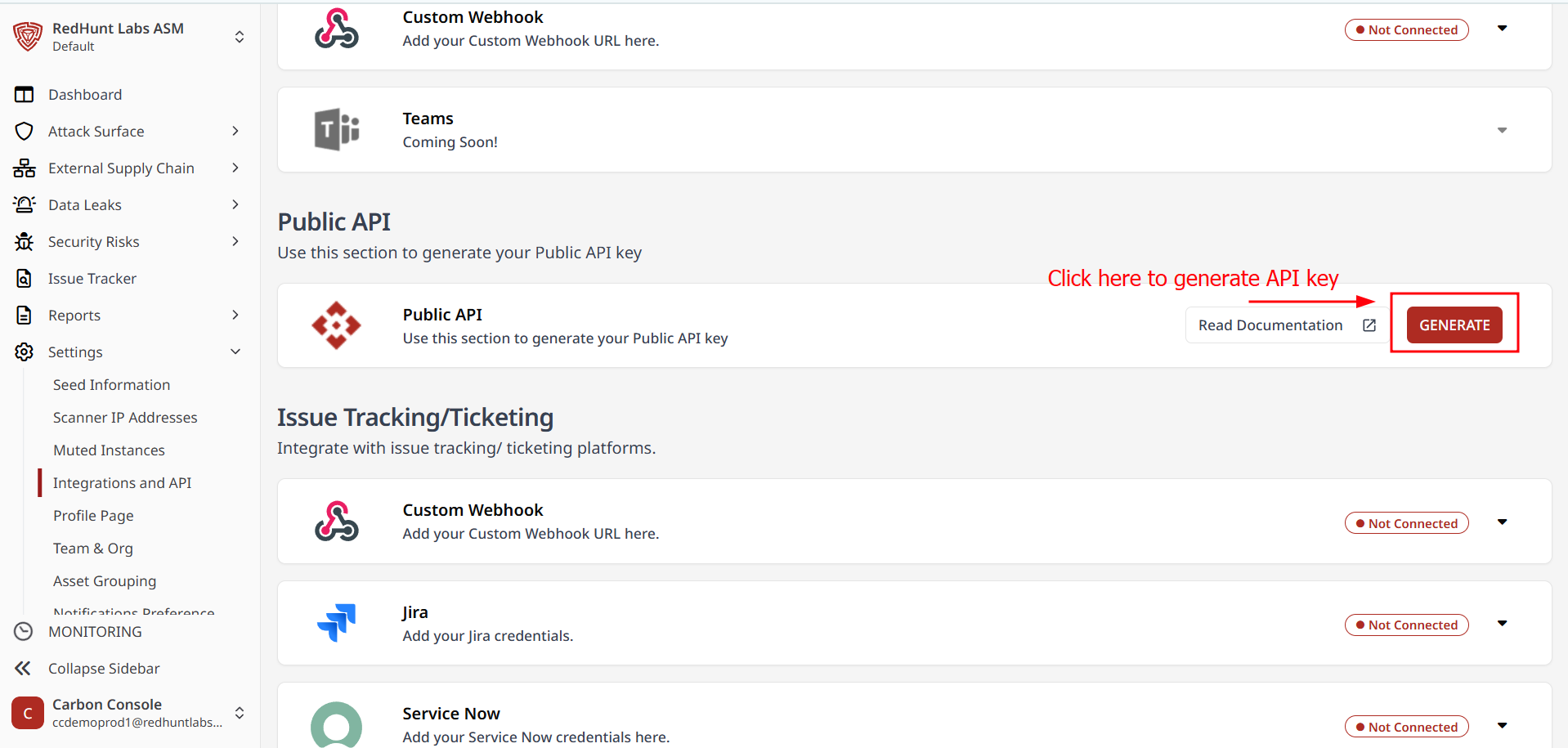
- A notification confirming API key generated will appear.
- Copy the displayed key for use in your integration workflow.
Note: Each organization is provided with a single API key, which can be shared among users within the same organization.
Can I Regenerate the API Key?
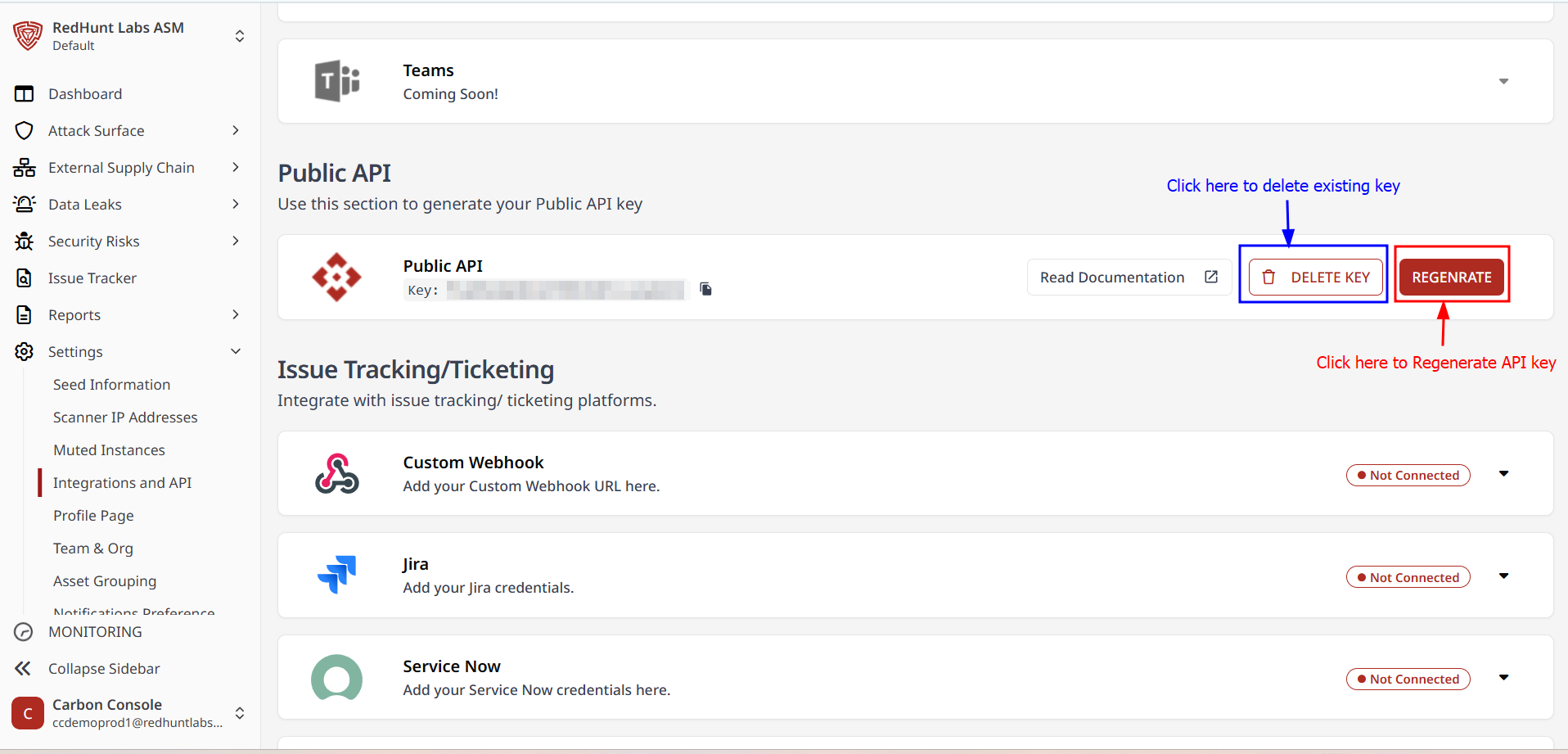
Yes, you can regenerate or delete the API key at any time:
- Navigate to Settings > Integrations & API.
- Scroll to the Public API section.
- Click Regenerate to update the existing API key.
- Alternatively, click Delete and generate a new key.
Can the API Be Used to Modify Information?
No, the Public API is read-only. It supports GET operations exclusively, allowing you to retrieve data but not create, update, or delete any information on the platform.