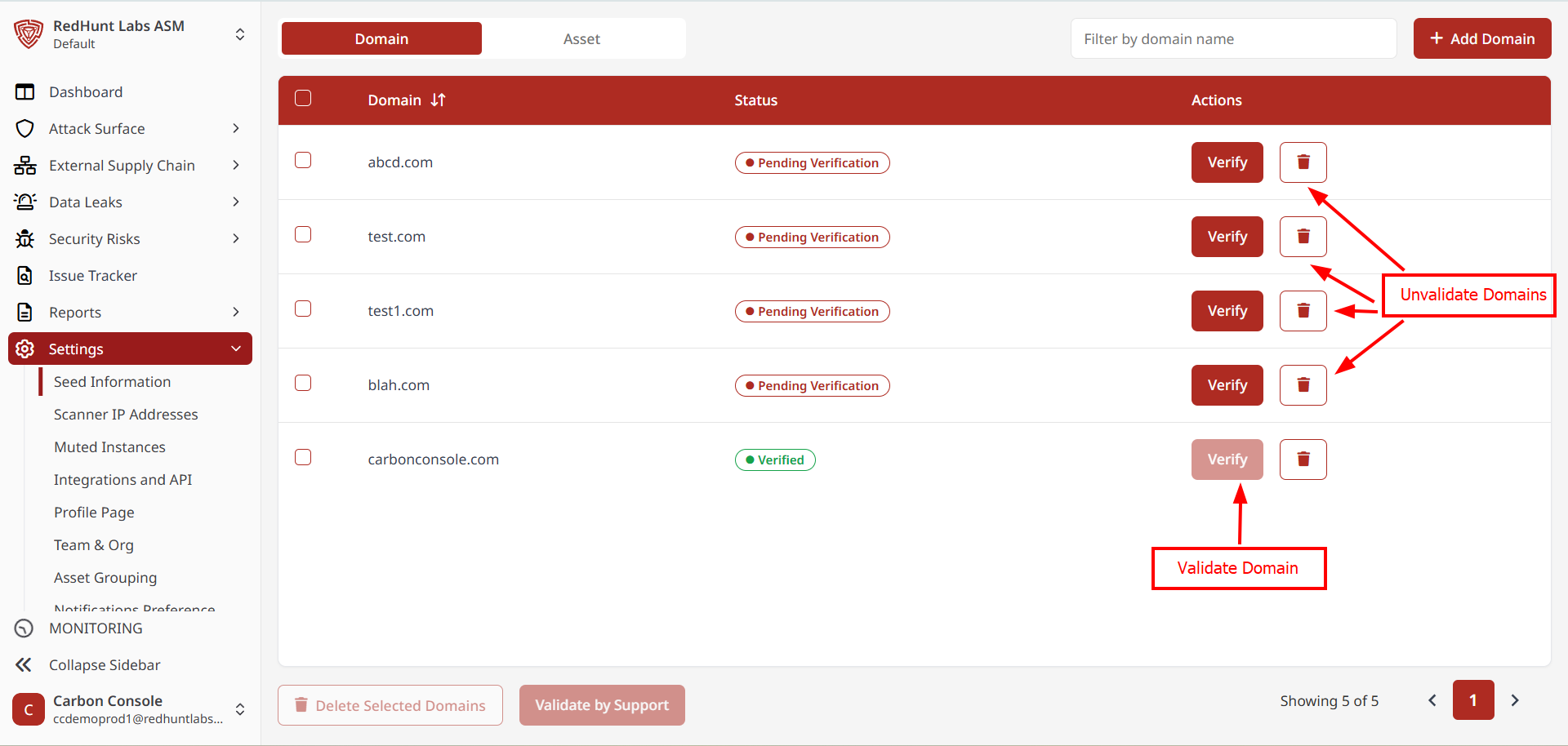
How to Add Seed Information?
The RHL ASM Platform discovers an organization's assets, detects security risks, and identifies data leaks using a seed information-based approach. This method requires only minimal initial input, enabling efficient and effective security assessments.
Add Domain(s)
- Go to the "Settings" menu and select "Seed Information".
- The Seed Information screen is divided into two sections:
- Domains
- Other Assets
- To add a domain that hasn't been validated yet:
- Click the "+ Add Domain" button at the top of the page.
- This will open the "Add Unvalidated Domain" pop-up.
- In the pop-up:
- Enter your domain name in the provided field.
- To add multiple domains at once, click "+ Add Domain" within the pop-up.
Example:example1.com,example2.com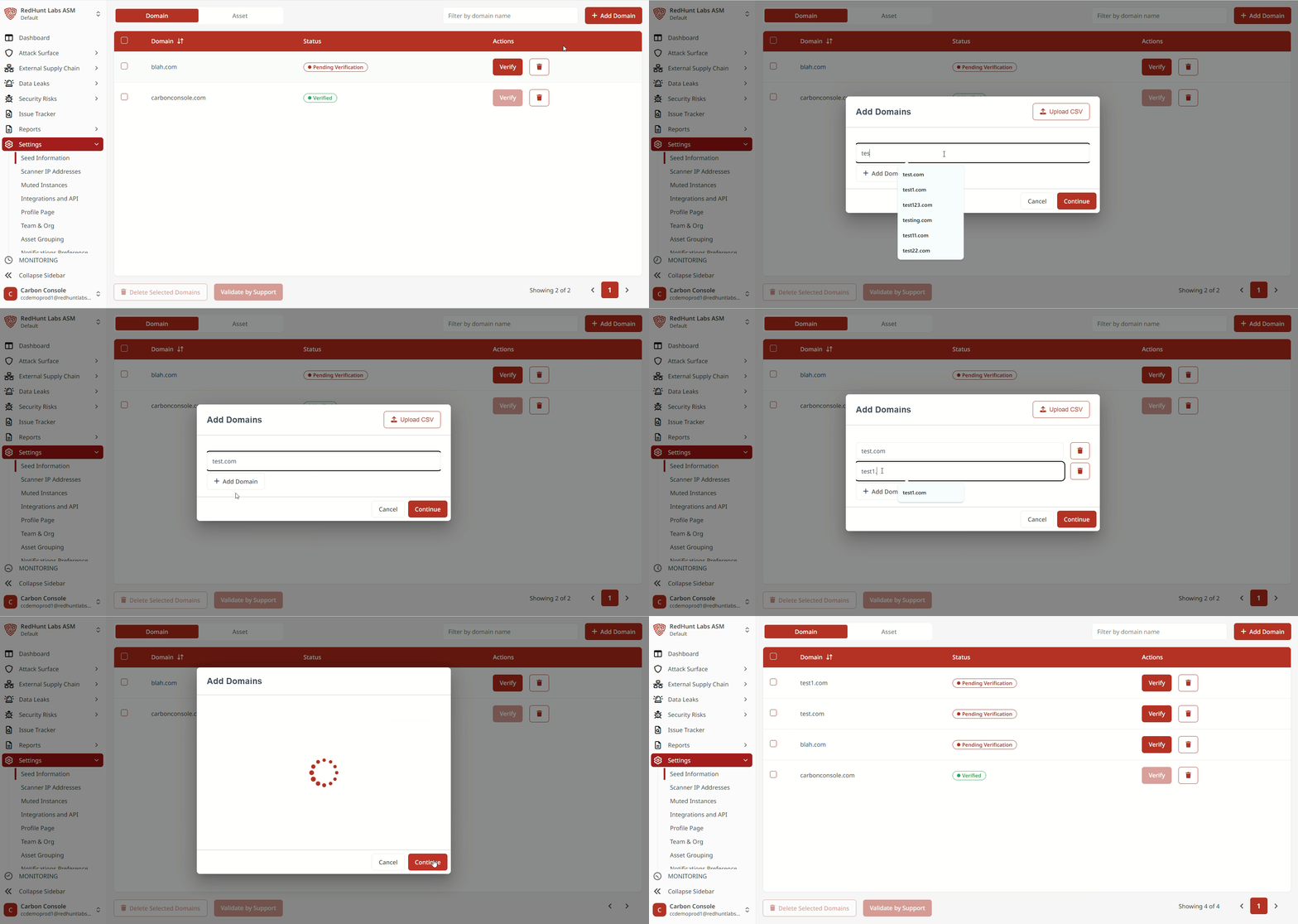
- Alternatively, use the "Upload CSV" option at the top of the pop-up to add domains in bulk.
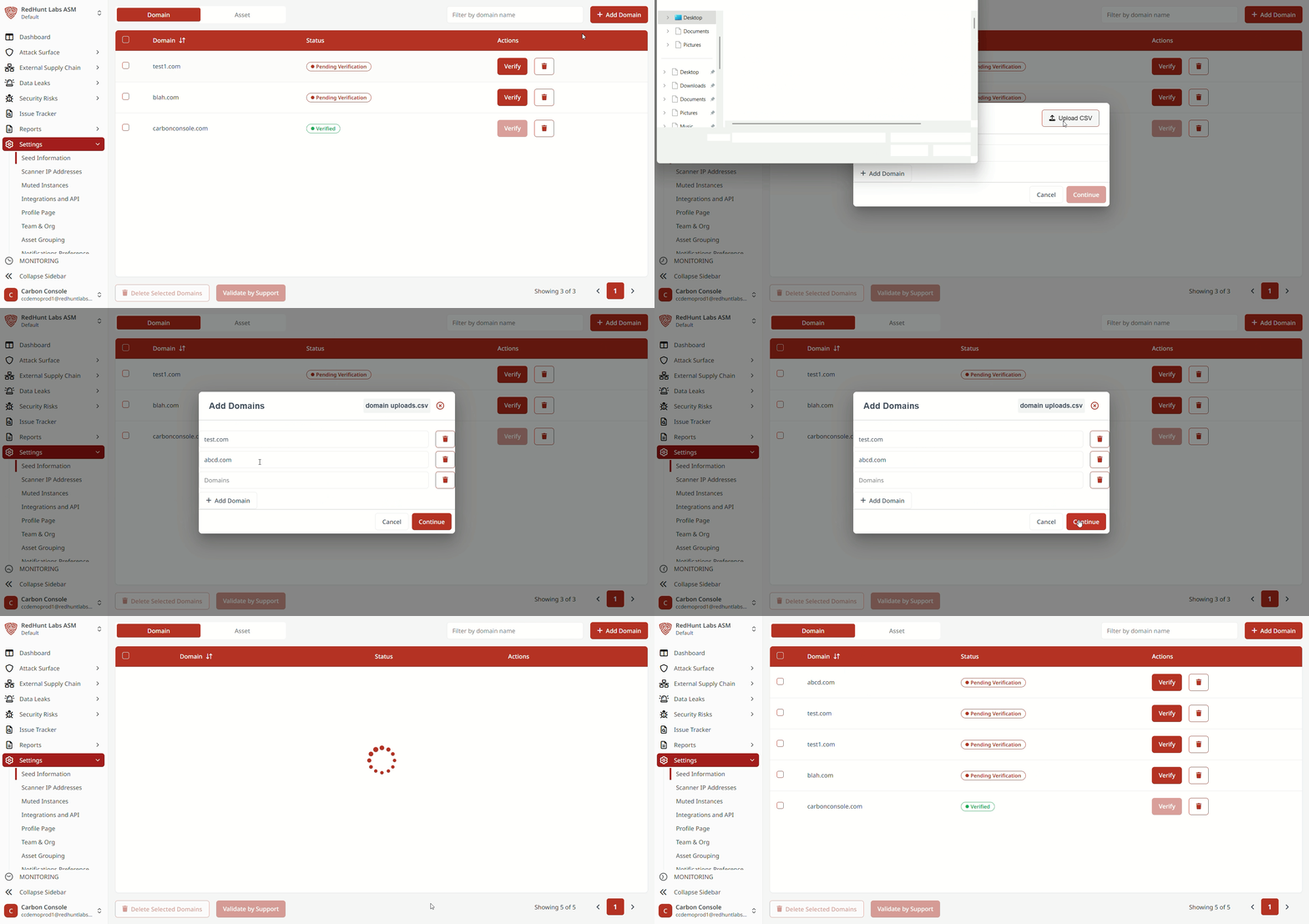
- After entering the domain(s), click "Add".
- If existing domains are present, the system will prompt you to update them if needed.
- Domains that are unverified will appear with a grayed-out status in the list for easy identification.
The added domain(s) will now be listed under the Domains section of the Seed Information page.